
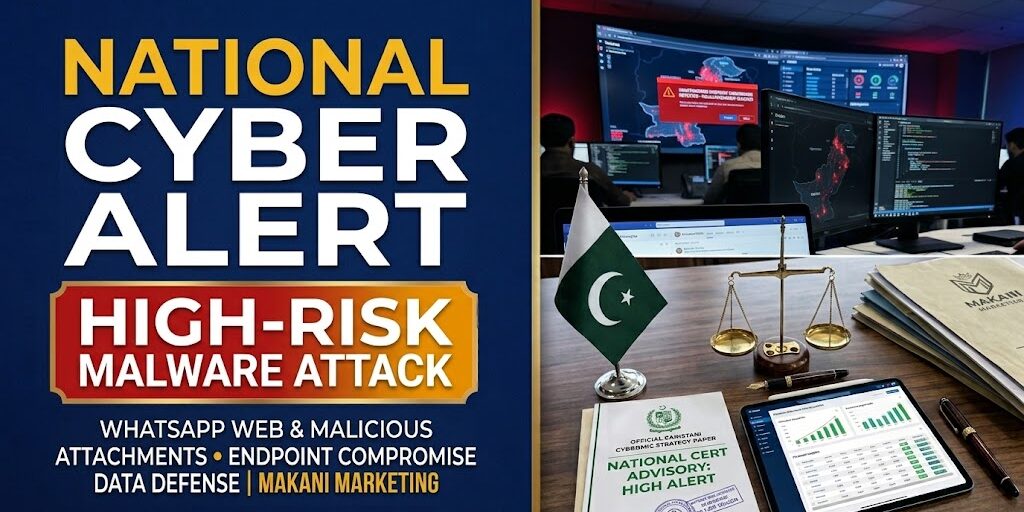
In an urgent national cybersecurity escalation, the National Cyber Emergency Response Team (National CERT / PKCERT) has issued high-risk advisory NCA-22.231026, warning government agencies, financial institutions, private enterprises, and senior executives of an active, highly targeted phishing and malware campaign.
The security alert warns that threat actors are exploiting human trust and desktop workflow habits by weaponizing WhatsApp Web, WhatsApp Desktop, and enterprise email clients running on Windows operating systems. By impersonating senior officials, regulatory bodies, and trusted business associates, attackers transmit deceptive files that compromise corporate workstations, harvest confidential communications, bypass authentication, and facilitate full remote control.
Crucially, the threat does not stem from a breach within WhatsApp’s core end-to-end encryption protocols or central infrastructure. Instead, it exploits an operational vulnerability: the seamless bridging of mobile messaging onto corporate Windows desktops. Because WhatsApp Web runs directly inside desktop browsers, downloading and opening an infected attachment immediately executes malicious code at the Windows endpoint level—bypassing perimeter firewalls and giving attackers an active backdoor into private corporate networks.
                [The Endpoint Infection Vector: Mobile to Windows Bridge]
                                           │
        ┌──────────────────────────────────┼──────────────────────────────────┐
        ▼                                  ▼                                  ▼
[Social Engineering Infiltration]  [Execution on Windows Endpoints]   [Post-Compromise Exfiltration]
• Impersonation of trusted contacts• Malicious scripts, archives & exes• Remote code execution (RCE)
• Urgent "official" document lures • WhatsApp Web runs file locally  • Browser session & cookie theft
• Spoofed administrative notices   • PowerShell execution policy bypass• Active WhatsApp Web hijacking
• Direct peer-to-peer transmission • Persistence via registry keys   • Lateral network movement
1. Anatomy of the Attack: How Threat Actors Infiltrate Systems
According to National CERT’s technical forensics, the campaign relies on spear-phishing mechanics tailored to Pakistani administrative and business environments:
- Weaponized File Formats: Attackers disguise malware as urgent circulars, regulatory updates, tenders, or corporate agreements. Rather than standard read-only documents, files arrive as weaponized archives (
.zip,.rar), obfuscated scripts (.vbs,.js,.bat), or double-extension executable payloads (e.g.,Official_Document_Update.exe). - Execution via WhatsApp Web: Because millions of professionals in Pakistan maintain permanent, unmonitored WhatsApp Web sessions on their office workstations, users instinctively trust files received from known contacts. If a colleague’s account is compromised, the attacker uses that hijacked account to send infected payloads across their business network. Clicking the file triggers background commands—such as automated PowerShell execution-policy bypasses—granting the attacker persistent local access.
- Session Hijacking & Impersonation: Once inside the endpoint, the malware harvests stored browser cookies, saved passwords, and cryptographic session tokens. This enables attackers to hijack active WhatsApp Web sessions without needing an additional OTP or QR-code scan, allowing them to extract sensitive commercial data and impersonate the victim to target business partners.
                 [The Anatomy of Session Hijacking & Corporate Exposure]
                                            │
                                            ▼
               [Attacker Compromises an Industry Contact / Official]
                                            │
                                            ▼
               [Sends Weaponized Document via WhatsApp to Victim's Desktop]
                                            │
                                            ▼
               [User Clicks File on WhatsApp Web Running on Windows PC]
                                            │
        ┌───────────────────────────────────┴───────────────────────────────────┐
        ▼                                                                       ▼
[Local Host Takeover]                                         [Network & Identity Exposure]
• Malicious registry run-keys injected                        • Active WhatsApp Web session stolen
• Password caches & auth tokens exfiltrated                   • Attacker reads chats & confidential files
• Backdoor connects to command & control (C2)                 • Secondary malware dispatched to clients & leads
• Lateral movement across corporate intranet                  • Corporate balance sheet & banking data exposed
2. Commercial Real Estate, Banking & Corporate Exposure
For corporate enterprises, property developers, financial institutions, and family offices managing high-value transactions, the National CERT advisory highlights significant operational vulnerabilities:
- Exposure of Real Estate Transaction Data: Property firms and marketing agencies handle sensitive investor KYC records, bank deposit slips, payment schedules, and property allotment dockets. Transmitting these files over unvetted desktop messaging applications exposes client records and banking data to unauthorized third-party exfiltration.
- Payment Redirection & Invoicing Fraud: By hijacking an active WhatsApp Web session, attackers can observe ongoing property sales or vendor negotiations and quietly interject fake bank account details for token money or installment payments—diverting corporate funds into untraceable accounts.
- Reputational and Legal Risks: Under Pakistan’s evolving data protection directives, allowing unauthorized access to customer registries or executive corporate communications creates liabilities, client churn, and brand degradation.
3. Immediate Protective Controls Mandated by National CERT
To safeguard enterprise networks, financial assets, and proprietary corporate databases, National CERT recommends implementing strict endpoint protocols immediately:
                 [Enterprise Digital Defense: Mandatory Action Items]
                                          │
                                          ▼
     [1. Restrict WhatsApp Web/Desktop on Sensitive Workstations]
    (Handle sensitive operations exclusively on isolated, managed networks)
                                          │
                                          ▼
     [2. Audit & Terminate Active Linked Devices Immediately]
    (Open WhatsApp on mobile -> Settings -> Linked Devices -> Log out all)
                                          │
                                          ▼
     [3. Enforce Strict Attachment Screening Protocols]
    (Never open .exe, .scr, .zip, or macro-enabled files from chat apps)
                                          │
                                          ▼
     [4. Deploy Managed Endpoint Detection & Response (EDR)]
    (Block unauthorized PowerShell scripts, patch OS & update antivirus definitions)
                                          │
                                          ▼
     [5. Enforce Two-Step Verification Across All Corporate Accounts]
    (Set mandatory PINs on WhatsApp & deploy hardware MFA for enterprise email)
- Restrict WhatsApp Web on Official Terminals: Officials and corporate staff handling confidential files, client ledgers, and financial records should refrain from using WhatsApp Web or Desktop on primary Windows workstations. Keep sensitive enterprise workflows on secure, managed software platforms.
- Audit “Linked Devices” on Mobile: Every employee should immediately open WhatsApp on their smartphone, navigate to Settings > Linked Devices, and review the list of active browsers. Manually log out of any unfamiliar, inactive, or unverified sessions.
- Block Dangerous File Extensions: Corporate IT teams should enforce endpoint group policies that restrict the download and execution of archive formats (
.zip,.7z,.iso) and executable scripts (.exe,.bat,.ps1) from web browsers and unapproved messaging channels. - Emergency Response Protocol: If an employee inadvertently clicks a suspicious attachment, immediately disconnect the device from the local Wi-Fi and office LAN network. Do not attempt to reopen the file; preserve system logs and report the incident directly to internal IT security and the National CERT incident response portal (
pkcert.gov.pk/report-incident/).
At Makani Marketing, our corporate brand advisory and commercial property research desk emphasizes that sound corporate strategy pairs physical asset development with enterprise-grade data security. Safeguarding transaction confidentiality, investor registries, and commercial operations remains fundamental to sustaining institutional trust across Pakistan’s business landscape